Andronix
For years, the way to see a Linux desktop on an unrooted Android phone was VNC: run a VNC server in Termux, then connect to it from a VNC viewer app on the same phone. It works, but it means two apps, a password, and a picture that’s compressed and sent over a network connection, even when both ends are on the same phone.
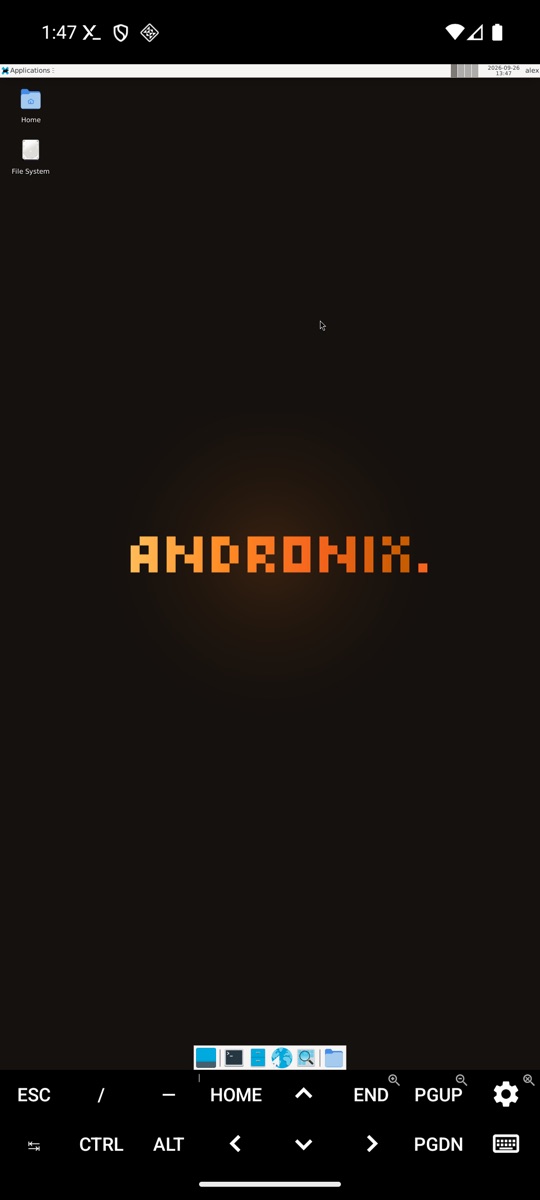
Termux:X11 replaces that. It’s an Android app from the Termux project that is the X server: Linux apps draw straight into it, full screen, at your phone’s own resolution. Andronix 2.0 uses it as the main way to open the desktop.
Termux:X11 or VNC?
| Termux:X11 | VNC | |
|---|---|---|
| Where the desktop shows | Full screen on the phone | In a VNC viewer app, on the phone or another device |
| Setup | One app, one command | A VNC server, a viewer app, a connection and a password |
| Resolution | The phone’s own screen size | Whatever you start the server with |
| Use it from a laptop or tablet | No | Yes |
| Sound with Andronix | Through the phone’s speakers | Through the phone’s speakers |
Use Termux:X11 for the desktop on the phone itself. Keep VNC for reaching the desktop from another device. Andronix sets up both; see Other ways to connect (VNC).
Neither one uses the phone’s GPU: the desktop is drawn in software either way. Termux:X11 still feels smoother on the phone, because the picture doesn’t go through a VNC connection.
Where to get Termux:X11
Termux:X11 is published only on GitHub. It isn’t on F-Droid or the Play Store, so be careful with copies elsewhere.
- Open the Termux:X11 nightly release.
- Download
termux-x11-universal-debug.apk(the universal build runs on every CPU type). - Open the file and install it. Android may ask you to allow installs from your browser or file manager first.
It needs Android 7 or newer, and it works with every current Termux build: F-Droid, GitHub and Google Play.
There’s also a Termux package, termux-x11 (the server side). You don’t need to install it yourself: andronix installs it the first time you open a desktop.
Open a Linux desktop in Termux:X11
You need a distro with a desktop. If you don’t have one yet, this line installs Debian 13 with XFCE (replace debian and xfce with what you want, for example ubuntu and kde):
(curl -fsSL --retry 4 --retry-delay 3 https://dl.andronix.app/get.sh -o $PREFIX/tmp/get.sh || curl -4 -fsSL --retry 2 --retry-delay 3 https://dl.andronix.app/get.sh -o $PREFIX/tmp/get.sh) && sh $PREFIX/tmp/get.sh install debian --de xfceDesktops you can pick: XFCE, LXQt, MATE, and KDE Plasma on Debian, Ubuntu 26.04 and Kali. See Choose a distro and desktop.
Then, in Termux (not inside the distro), run:
andronix desktopWith more than one distro, name it: andronix desktop debian. Andronix:
- installs the
termux-x11package in Termux if it’s missing; - starts the X server and sound;
- switches to the Termux:X11 app;
- opens your desktop there, logged in as your user.
andronix desktop debianIf the Termux:X11 app isn’t installed, the command tells you, with the download link.
The first time
- Android 13 and newer ask “Allow Termux:X11 to send you notifications?” on top of the app. Tap Allow: your desktop is behind that box.
- If Termux says Desktop is running but Termux:X11 doesn’t come to the front, open it from your app drawer.
- Andronix hides Termux:X11’s extra-keys bar the first time, so the desktop’s bottom panel shows. Swipe down with three fingers to bring it back, or turn it on in Termux:X11’s settings.
Keep Termux open
The desktop runs inside the Termux session that started it. Switch between Termux and Termux:X11 with Android’s app switcher; don’t close Termux. To stop the desktop, log out from the desktop menu, press Ctrl + C in that Termux session, or run andronix desktop stop from another session.
Make it comfortable
- Touch, mouse and resolution: Termux:X11’s own preferences set how touch works (direct touch or a trackpad-style pointer), the screen orientation and the resolution.
- A keyboard and mouse over Bluetooth or USB make a phone or tablet feel like a small PC.
- Lighter desktop: if it feels slow, run
andronix tune debian --profile lightin Termux (no effects or thumbnails, 16-bit colour), or pick XFCE or LXQt over KDE Plasma. Phones with less than 3 GB of RAM get the light profile automatically. See Make it faster. - Firefox opens in a smaller window the first time; double-tap its title bar to maximize, and it remembers.
- Start one app from Termux while the desktop is open:
./start-debian.sh 'DISPLAY=:0 mousepad'.
Fix common Termux:X11 problems
The desktop disappears, and Termux says “signal 9”
[Process completed (signal 9) - press Enter] means Android 12 or newer stopped your distro, because a desktop starts many processes. Turn that off once (on Android 14 and newer it’s a switch in Developer options): Process completed (signal 9).
Termux:X11 shows nothing, or “not connected”
Opening the Termux:X11 app by itself shows no desktop: it waits for one to be started from Termux. Run andronix desktop in Termux first; it brings Termux:X11 to the front when the desktop is ready.
The screen stays black
Some phones’ graphics drivers need a different drawing mode. Stop the desktop, then start it with:
ANDRONIX_X11_ARGS=-legacy-drawing andronix desktopIf red and blue look swapped, use -force-bgra instead. On phones with a kernel older than 4.8 (many Android 8 and 9 phones; check with uname -r), every desktop stays black, in Termux:X11 and VNC alike, while the command line works. See The desktop is black, slow or closes.
Only one desktop opens
You can have one Termux:X11 desktop open at a time. Stop the first one before you open another distro’s.
Common questions
Is Termux:X11 safe?
It’s open source, from the official Termux organization on GitHub, where you can read the code and the release history. Download it only from that release page.
Does Termux:X11 need root?
No. Neither does Termux or Andronix.
Can I use Termux:X11 with proot-distro or my own setup?
Yes. Termux:X11 is a general X server; its README explains how to start it by hand. Andronix’s andronix desktop does those steps for you, plus sound, logging in as your user, and a hint about signal 9 on Android 12 and newer.
Does it work on a tablet?
Yes. The desktop uses the screen size Termux:X11 is given, so a tablet gets a bigger desktop. Change the resolution in Termux:X11’s preferences if the layout looks too small or too large.
Next steps
- Start the desktop: the reference page for
andronix desktop. - Install apps: browsers, VS Code, LibreOffice and GIMP.
- Ubuntu on Android without root and Kali Linux on Android.