Andronix
Kali Linux is one of the nine free distros Andronix sets up on Android. It’s a Debian-based rolling distro with its own repositories. With Andronix 10.1, Kali and its desktop run right inside the Andronix app: you pick Kali, set up your user, and the desktop opens in the app. There’s nothing else to install, no root, and nothing on Android itself changes.
What you get
- Kali Linux rolling, with Kali’s own
aptrepositories. - A desktop of your choice: XFCE, LXQt, MATE or KDE Plasma, or the command line only.
- Firefox ESR and sound through the phone’s speakers.
- A normal user you set up during the install. Use
sudofor admin commands.
You get Kali’s base system and the desktop. Add the packages you need with sudo apt install.
What you need
| Android | 8 or newer. No root. |
| CPU | A 64-bit ARM processor (arm64). Almost every phone from the last few years has one. |
| Free storage | The app tells you how much Kali and its desktop need before it starts. Leave room for the packages you add. |
| RAM | No minimum. KDE Plasma needs about 4 GB. |
| Apps | Only Andronix, from Google Play. |
More: Requirements. On Android 7 or a phone without an arm64 processor, see On older phones: with Termux.
Install Kali
- Install Andronix from Google Play and open it. On Home, under Install Linux, tap Linux distros.
- Choose Kali Linux, then a desktop: XFCE, LXQt (lighter), MATE, KDE Plasma (about 4 GB of RAM; on a device with less, the app warns you and suggests XFCE), or Command line only (no desktop).
- On Set up your user, enter a User name (lower-case letters and numbers) and a Password (at least 4 characters), then tap Continue. The root account stays locked; use
sudowith this password. - Wait for the install. The app shows each step, and it usually takes 5 to 30 minutes. You can leave the app: it keeps going in the background, with a notification.
- When it’s done, tap Open the desktop (for a command-line install, Open the terminal).
Later, Kali is on Home under Your Linux. Tap its row to open the desktop, or Terminal to open Kali’s terminal, then:
sudo apt update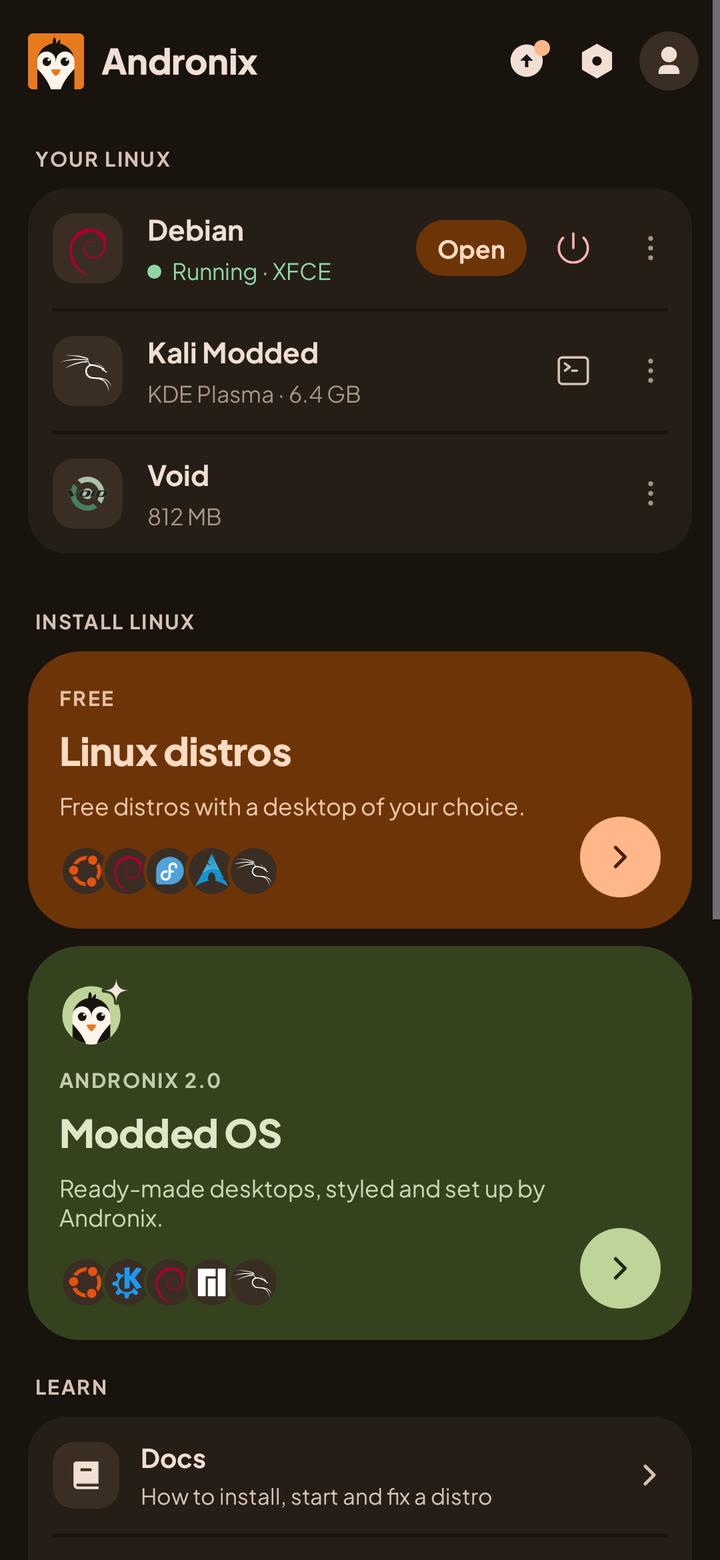
Details: Install in the app and Your Linux on Home.
If battery optimisation applies to Andronix, the app shows Keep Linux running once: tap it, so Android doesn’t stop Kali in the background. If Android stops it anyway, the app says Android stopped Kali; tap that to start it again. See Process completed (signal 9).
Day to day
| To | Do this |
|---|---|
| Open the desktop | Home > Your Linux, tap Kali’s row |
| Open Kali’s terminal | Tap Terminal on Kali’s row |
| Update Kali | sudo apt update && sudo apt full-upgrade, in Kali’s terminal |
| Install a tool | sudo apt install <name> |
| Share files with Android | Save them to ~/Android/Download or ~/Android/Documents |
| Remove Kali | Home > Your Linux > ⋮ > Remove |
What you save in ~/Android/Download and ~/Android/Documents appears in Download/Andronix and Documents/Andronix on your phone. To bring a file in, use Import in Settings › Linux › Android files in Linux. See Android files in Linux. There’s no backup inside the app yet.
Limits
Kali runs in user space with proot, on Android’s own kernel, as an ordinary app. The same limits apply as for every Andronix distro:
- No access to hardware such as USB adapters, and no control over the phone’s Wi-Fi or network interfaces. Android manages those, not Kali. No VPNs either.
- No Docker, Snap or Flatpak.
- No microphone yet. GPU acceleration is experimental and off by default (GPU acceleration).
- Programs that need kernel features proot doesn’t provide may not run.
The full list: Limitations.
Common questions
Is this the same as Kali NetHunter?
No. NetHunter is the Kali project’s own Android edition. Andronix installs Kali’s regular rolling release, the same way it installs Debian or Ubuntu, and opens the desktop in the Andronix app. See Kali’s NetHunter documentation for their editions.
Why does Kali ask for a username instead of logging in as root?
Andronix creates a normal user, like a regular Kali install. The root account stays locked; use sudo with your password for admin commands.
I installed Kali with the old Andronix app. Does it still work?
Yes. Installs from before Andronix 2.0 keep working with the same start command. To move to the current Kali, see Installs from before Andronix 2.0.
On older phones: with Termux
On Android 7, on a phone without a 64-bit ARM processor, or if you prefer the command-line installer, Andronix runs Kali in Termux instead. Install Termux from F-Droid (recommended), the Termux project’s GitHub releases, or Google Play (Android 11 and newer), then paste this line into it:
(curl -fsSL --retry 4 --retry-delay 3 https://dl.andronix.app/get.sh -o $PREFIX/tmp/get.sh || curl -4 -fsSL --retry 2 --retry-delay 3 https://dl.andronix.app/get.sh -o $PREFIX/tmp/get.sh) && sh $PREFIX/tmp/get.sh install kali --de xfceThe whole Termux setup, with the desktop: Andronix with Termux and the docs.
Next steps
- Supported distros: Kali’s details.
- Install apps and Dev packs: browsers, IDEs, Python and more.
- Ubuntu on Android without root: the same steps for Ubuntu.