Andronix
VNC lets you see and use a Linux desktop that runs on your Android phone, in a VNC viewer app: on the same phone, or on a tablet or laptop on the same network. This guide sets it up with Termux and the free andronix installer, without root.
andronix desktop. See the Termux:X11 guide. VNC is the way to go when you want the desktop on another device.
Step 1: Install a Linux distro with a desktop
Install a current Termux (from F-Droid, GitHub or the Play Store on Android 11 and newer; see Install Termux). Then paste this into Termux:
(curl -fsSL --retry 4 --retry-delay 3 https://dl.andronix.app/get.sh -o $PREFIX/tmp/get.sh || curl -4 -fsSL --retry 2 --retry-delay 3 https://dl.andronix.app/get.sh -o $PREFIX/tmp/get.sh) && sh $PREFIX/tmp/get.sh install debian --de xfceThis installs Debian 13 with the XFCE desktop. Any distro and desktop works the same way; see Choose a distro and desktop. At the end, the installer asks for your username, your password and a desktop (VNC) password of 6 to 8 characters. That last one is what your VNC viewer asks for.
Step 2: Start the VNC server
Start your distro from Termux:
./start-debian.shYou’re in the distro when the prompt shows your username followed by @localhost. Now start the desktop:
vncserver-startPick a screen size: Enter picks Auto, which fits your VNC viewer, or choose HD (1280x720), Full HD (1920x1080) or QHD (2560x1440). You can also give the size directly, for example vncserver-start 1920x1080. When the desktop is up, a Desktop is running box shows the address: localhost:1.
Keep this Termux session open while you use the desktop; closing it stops the desktop. To use the Termux command line at the same time, open a new session from the Termux sidebar.
Step 3: Connect from the same phone
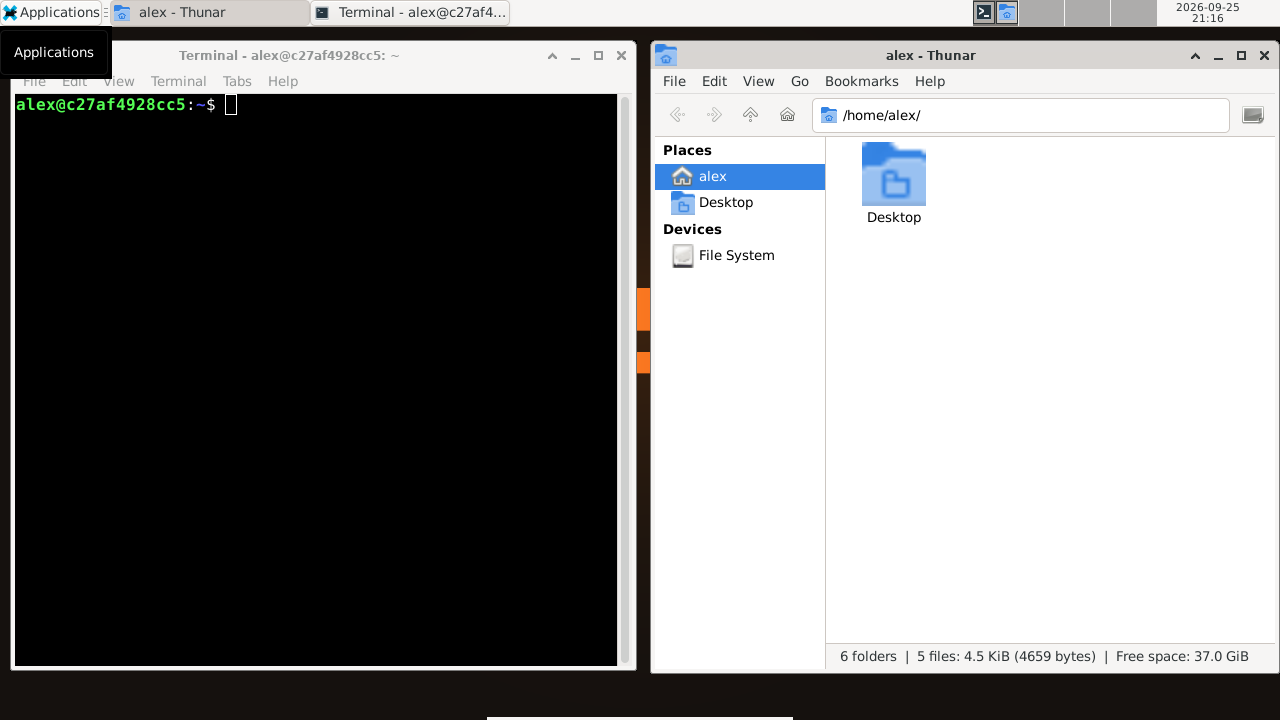
Install a VNC viewer app, for example RealVNC Viewer from the Google Play Store, then:
- Add a connection with the address
localhost:1. - Open it and enter your desktop (VNC) password.
- In the viewer’s settings, set the picture quality to High for a sharper picture.
Step 4: Connect from a laptop or tablet
By default the desktop only accepts connections from the phone itself. To let another device on your network connect, stop it and start it again with --lan:
vncserver-stop
vncserver-start --lan
Find the phone’s address: open a new Termux session and run ip a, and look for the wlan address, such as 192.168.1.23. On the other device, connect any VNC viewer (RealVNC, TigerVNC or Remmina, for example) to that address with display 1: 192.168.1.23:1.
No Wi-Fi? Turn on the phone’s hotspot and connect the other device to it; the same steps work.
--lan, anyone on the same network who knows your desktop password can connect, and VNC traffic isn’t encrypted. Only use it on networks you trust, like your home Wi-Fi or your own hotspot, and stop the desktop when you’re done. To go back to phone-only access, run vncserver-stop, then vncserver-start without --lan.
Step 5: Stop the desktop
When you’re done, in the distro shell:
vncserver-stopThen type exit to leave the distro.
If something goes wrong
- Termux closes with
[Process completed (signal 9) - press Enter]: Android 12 and newer stopped it. Turn that off once: Process completed (signal 9). - Wrong password, or a black or grey screen: see The desktop is black, slow or closes.
- The picture is slow over Wi-Fi: pick a smaller screen size, and lower the viewer’s picture quality.
Everything about VNC, including picture quality and other options: Other ways to connect (VNC).
VNC or Termux:X11?
| Termux:X11 | VNC | |
|---|---|---|
| Where you see the desktop | Full screen on the phone | In a VNC viewer, on the phone or another device |
| Speed on the phone | Faster | Slower (the picture is compressed and sent over a network connection) |
| Sound | Through the phone’s speakers | Through the phone’s speakers |
| How to start | andronix desktop in Termux |
vncserver-start inside the distro |
Most people use Termux:X11 on the phone, and VNC when they want the desktop on a bigger screen.
Next steps
- How to install Debian on Android, step by step.
- The andronix command: every command and option.
- Stuck? Report a problem or ask on Discord.